Single-Player vs Multiplayer AI Agents: What Actually Changes
Single-player AI agents collapse the moment a team or customers show up. Here's what changes - and the six capabilities every multiplayer agent needs.
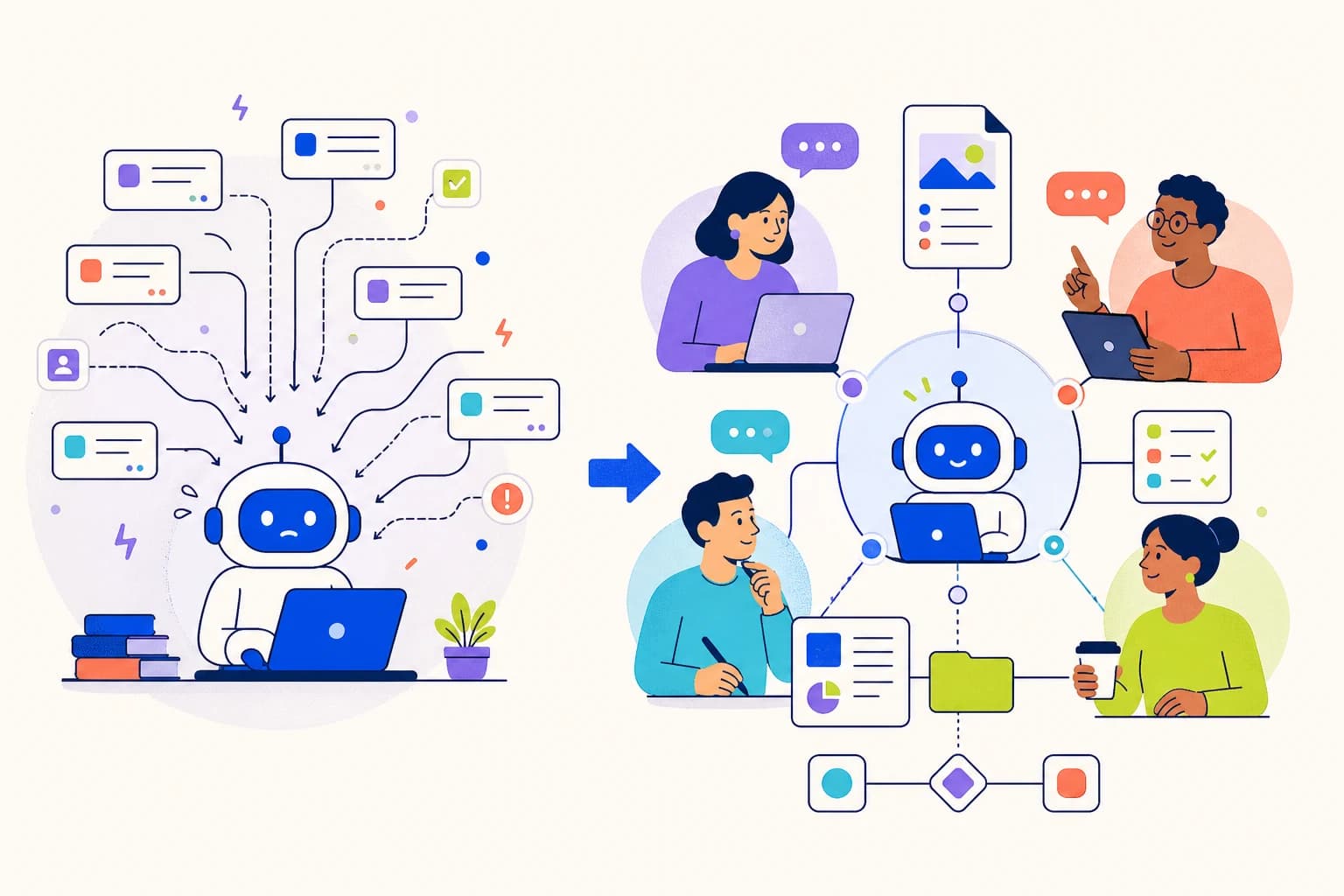
You spent a weekend building an AI agent. It's brilliant. It handles your emails, parses your invoices, drafts replies in your voice. You bring it to work on Monday and your support lead asks if she can tweak how it handles refund requests. Your PM wants to add a skill for a new vendor's invoice format. A customer messages the agent on WhatsApp and gets a generic reply because the agent doesn't know who they are.
And here's the part nobody warned you about: every one of those requests now goes through you.
The support lead can't edit the agent - she doesn't have access. The PM has nowhere to publish a skill anyone else can use. The customer's preference for short answers lives in your head, not the agent's. The agent itself runs on your laptop. You're not a team. You're a help desk with one ticket queue and yourself as the only agent.
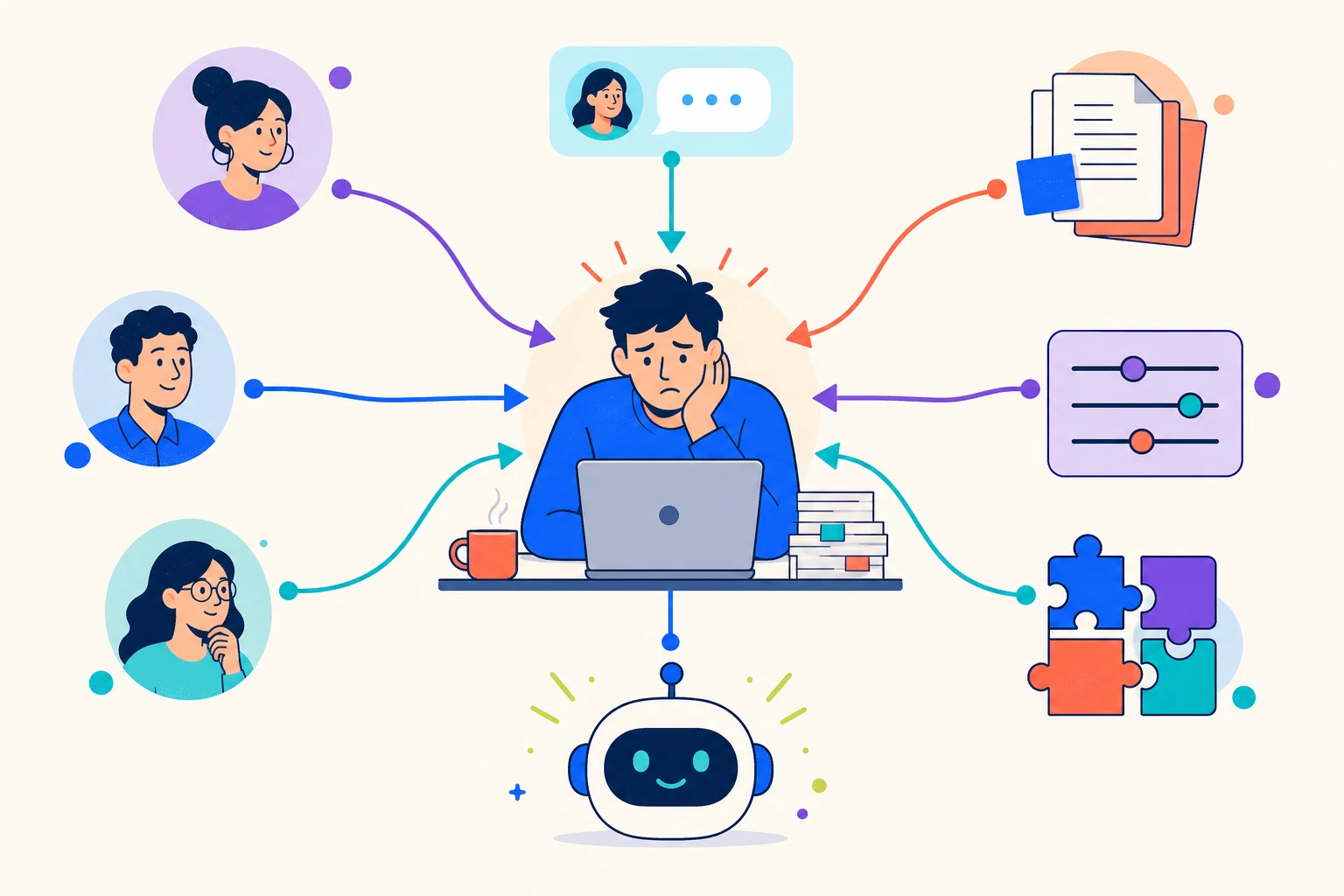
That's not a setup problem. That's a single-player agent in a multiplayer world.
There's a name for the shift, and it's a familiar one. Single-player tools and multiplayer tools are different games. Word documents on your laptop versus Google Docs. Local SQLite versus a shared database. A solo whiteboard versus Figma. Agents are no exception - and most agent tools today are still single-player.
Single-Player vs Multiplayer: The Mental Model
Single-player software is built around you. Your laptop. Your settings. Your conversation history. Your prompts. Your memory of what the tool has done. It works beautifully until someone else needs in.
Multiplayer software assumes from day one that more than one person will be in the room - editing the same thing, talking to the same thing, depending on the same thing. Google Docs is multiplayer. A shared inbox is multiplayer. GitHub is multiplayer. Notion is multiplayer.
Most AI agent tools today are single-player. Claude Code is single-player. The "build your own GPT" wizards are single-player. The local agent builders are single-player. They optimize for the brilliant individual builder, and they're great at that. The agent lives where you built it, remembers what you told it, and answers when you ask.
The problem is that agents in real businesses don't get used by one person. They get used by:
- Multiple teammates editing the same agent's behavior over time
- Multiple customers messaging the agent across different channels
- Multiple agents on your team that should be sharing what they've learned
- Multiple operators who need to know who changed what, and when
Each of those is a multiplayer requirement. Each one breaks a single-player tool the moment it shows up. And they don't show up one at a time - they show up together, on the same week, usually the week you finally decide the agent is good enough to "let everyone use".
The rest of this post is about six capabilities that decide whether your agent is single-player or multiplayer. They're not features you can bolt on later. They're foundational decisions about how the agent thinks about people, memory, audience, knowledge, and change.
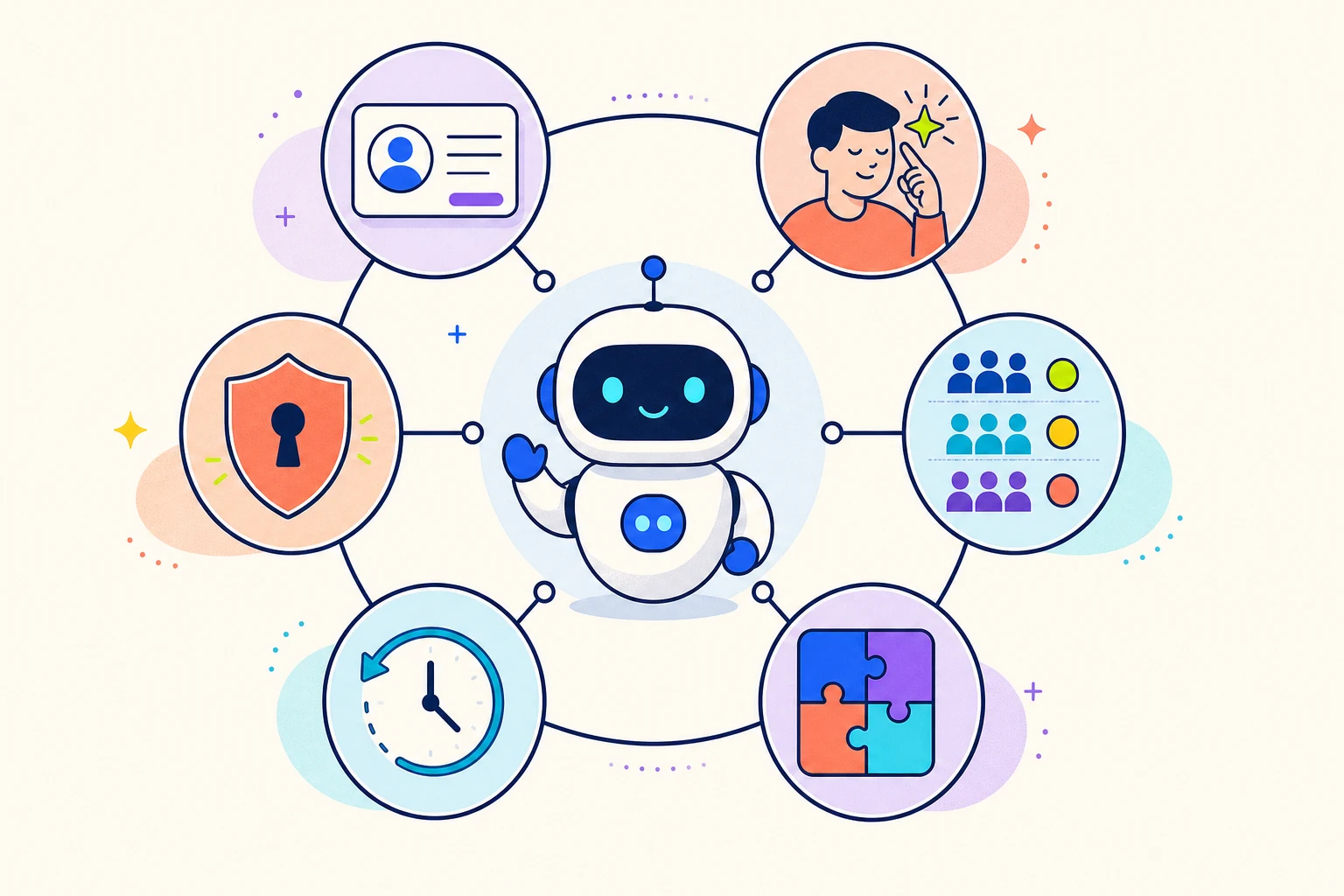
1. The Agent Has to Know Who's Talking to It
A single-player agent has one user. Easy. Whoever's typing is the user. The whole prompt is written for them.
A multiplayer agent has dozens, hundreds, eventually thousands of distinct humans talking to it - some inside your company, some outside. And the first question on every inbound message is "who is this?" The agent needs a real, persistent answer to that question, not a guess from the most recent message.
This starts with a clean distinction between internal teammates and external senders. Teammates work with you - they're inside the workspace, they have a known identity, the agent can talk to them like colleagues. External senders are everyone else - customers, prospects, partners messaging on WhatsApp, email, voice, Telegram. The agent should never treat the two groups the same. A teammate asking "delete this dataset" and a customer asking "delete this dataset" are very different requests.
Then there's the harder part: the same human shows up on different channels. Sarah from Acme emails on Tuesday, then messages on WhatsApp on Friday. Single-player tools see two strangers. A multiplayer agent recognizes that they're the same person, carries the context across, and treats Friday's conversation as a continuation of Tuesday's - not as a fresh start with a fresh stranger.
The agent that can do this has something most agent tools don't: a real roster of the people it talks to, with persistent identity that survives channel switching.
An agent that can't reliably tell senders apart can't be trusted to act on what either of them says.
2. The Agent Has to Remember Each Person Separately
In a single-player tool, "memory" means the agent remembers the conversation. There's one conversation. There's one memory.
In a multiplayer agent, every person has their own thread. What Sarah told the agent last Tuesday belongs to Sarah - not to the next customer who messages, not to your CTO, not to your support lead.
Two things make this real:
- Per-person memory, maintained automatically as conversations happen. The agent learns about Sarah - her company, her preferences, how she likes to be addressed - and that knowledge stays with Sarah's record. It doesn't bleed into how the agent talks to the 50 other external customers.
- Per-person instructions you can write yourself. "Sarah from Acme prefers concise replies. She runs a 200-person team and hates fluff." That note follows Sarah across every channel, forever, and applies only to her.
Compare that to the single-player workaround: paste "the user prefers brief responses" into the global system prompt, and now every user gets brief responses, including the ones who actually wanted detailed walkthroughs. A multiplayer agent attaches the preference to one human and stops there.
An agent without per-person memory treats every conversation like the first one. That's fine for a demo. It's a disaster for a working relationship.
3. The Agent Has to Adjust Its Behavior by Audience
A good employee doesn't talk to the CEO the way they talk to a walk-in customer. They adjust tone, formality, level of detail, what they're willing to commit to. They do this automatically, based on who they're talking to. They don't need to be reminded.
Your agent needs the same instinct. In a multiplayer setup, it can't afford anything less.
The way to get there is trust tiers - four audiences your agent recognizes automatically: Owner, Admin, Member, External. Each tier has its own behavior prompt that you write. When a customer messages on WhatsApp, the agent reads the External prompt and shifts into customer-service mode. When the Owner messages from the dashboard, it reads the Owner prompt and operates as a colleague. Same agent. Audience-aware behavior. No manual switching, no remembering to "use the right one" - the agent already knows.
This is one of the cleanest differences between single-player and multiplayer. A single-player agent has one persona, the one you wrote. A multiplayer agent has four personas, all of them yours, applied to the right person automatically.
One agent. Four audiences. Every conversation framed correctly from the first word.
4. The Agent's Team Needs a Shared Brain
This is the section that does the most work, because it's the part nobody else really has.
In a single-player tool, every skill, every workflow, every clever way of handling a tricky vendor's invoices lives inside one agent on one builder's laptop. The PM has no way to use it. The support lead has no way to contribute to it. The next agent your team launches starts from scratch. The knowledge is locked inside whoever built it.
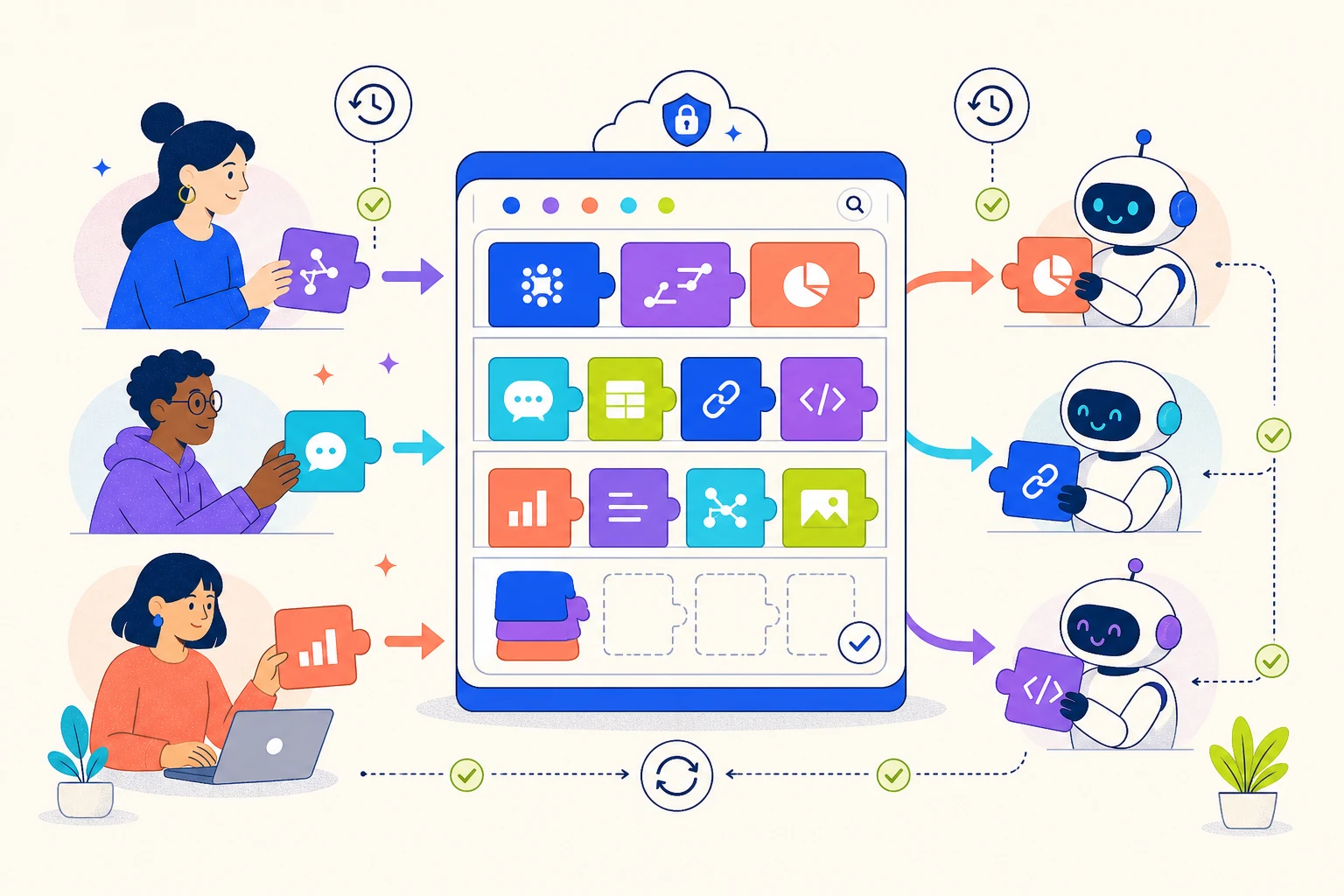
The multiplayer answer is a private skill catalog scoped to your organization - a shared brain for your team's agents and the people who run them. Here's what makes it different:
- Every project in your workspace has its own catalog. It's private to your organization. Nobody outside sees it. It belongs to your team the way a company playbook does.
- Any teammate with access to the project can browse the catalog, search by category, see what skills exist, and contribute new ones. It's not a developer-only feature. Your PM, your support lead, your ops engineer - all of them can add to it.
- Any agent in the project can adopt any skill from the catalog with one click. No copy-pasting prompts between agents. No "let me dig up that workflow we built last quarter."
- Skills are versioned. When someone improves a skill in the catalog - tightens the wording, handles a new edge case, fixes a quiet bug - every agent using that skill sees an "Update Available" badge. They pull when they're ready. No surprise overwrites, no silent drift across the team.
- Agents can publish back. When an agent figures out a clean way to handle a workflow, that skill can be promoted into the shared catalog with one action. Instantly available to every other agent and every other teammate.
What this changes, practically: your second agent isn't as junior as your first one was. Your fifth isn't junior either. Skills that one teammate builds become a resource the whole company can pull from. Skills that one agent learns become tools the whole team inherits.
Most platforms don't have a concept of an organization-private library at all. The ones that do don't version it. Almost none let agents contribute back. And almost none let non-developers browse and share skills the way teammates already share documents in Notion or files in Drive.
The framing for the reader: imagine if every employee's hard-won knowledge stayed only in their own head, and walked out the door when they did. That's how single-player agents work. A multiplayer platform treats your team's accumulated know-how the way a good company treats its playbook - shared, searchable, versioned, improved by everyone.
Your second agent shouldn't be as junior as your first one was. That's the difference between a team that scales and a team that just adds headcount.
5. The Agent Has to Keep a Clear Record of Who Changed What
When three teammates can edit the same agent, you have the exact problem that made version control necessary for code. Well-intentioned people editing a shared artifact, none of them with full visibility into what the others did. Without a clear record, every Monday becomes "why is the agent behaving differently than it was on Friday?"
The multiplayer answer is a change log that captures every edit with:
- The person who made it - by name, attributed cleanly to the actual human, not "system" or "unknown".
- What they changed - a before-and-after view with the exact words added and removed highlighted.
- When and why - was it a chat session, a UI edit, a scheduled sync, the agent updating itself? Each source labeled.
And critically, the change log also captures changes the agent itself made to its own behavior, which most platforms don't even try. Self-improving agents are happening; the only safe way to let an agent modify itself is to make every self-edit visible.
The payoff on a Monday morning: scroll the timeline, see exactly which teammate edited which setting over the weekend, and roll any of it back in one click if it broke something. No detective work. No Slack archaeology. No "git blame" energy needed. If you want a deeper take on this specific capability, we wrote about it in What Your AI Agent Does While You're Not Looking.
A shared agent without a clear record of changes is a shared document without version history. Nobody wants to work that way for long. Nobody should have to.
6. Not Everyone Should Have the Same Power
The last capability is the foundation that makes the previous five safe to enable across a team.
In a single-player tool, you have all the power because you're the only person. In a multiplayer agent, that model breaks immediately. Your support lead needs to edit agent behavior, but she shouldn't be able to delete the workspace. Your junior teammate needs to run the agent, but they shouldn't see the raw API keys it uses. A customer needs to message the agent, but they shouldn't get anything else.
The answer is structured roles - Owner, Admin, Member - with clear power asymmetry. Not bureaucracy. Just the right access for what each person is doing, and nothing more.
There's one more thing worth saying out loud, because it's where a lot of vendors fudge it. Some things in your agent are strictly enforced - they're hard walls, not requests. Credentials are never seen by the agent in raw form. The outbound email whitelist is a hard list; the agent literally cannot email outside it. Workspace permissions are enforced by the system, not asked of the model. Other things - tone, persona, how to handle a tricky question - are guided by prompts you write. Strong influence, not perfect filtering.
Knowing the difference is what lets a team build with confidence. If you're evaluating any agent platform for team use, ask the vendor to draw that line clearly. Their answer tells you whether they've thought about teams at all.
Multiplayer doesn't mean free-for-all. It means everyone has the right access for what they're doing, and the rest is off-limits.
The Checklist: Is Your Agent Multiplayer-Ready?
A scannable self-check. The more "yes" answers, the closer your agent is to actually working for a team.
- When two customers message your agent, does it recognize them as two distinct people - across channels - and remember each one separately?
- Does the agent automatically know whether it's talking to a teammate or to a customer, and adjust how it responds?
- If a customer prefers concise replies, can you tell the agent that for that customer, without changing how it talks to anyone else?
- Can teammates other than you edit the agent's behavior - without coming through you?
- If your team has multiple agents, can they share skills with each other through a shared library?
- Is that library private to your organization, browseable by your team, and version-tracked?
- If one teammate updates a shared skill, can the other agents using it see the update and choose when to pull it in?
- If three teammates edit the same agent in a week, can you see exactly who changed what?
- Can you undo any change - the agent's or a teammate's - in one click?
- Are there things your agent is physically prevented from doing, not just asked nicely not to do?
- Can a junior teammate use the agent without ever seeing the raw API keys or credentials it uses?
If most of those are "no" or "I'm not sure" today - you're using a single-player tool. That's fine for a side project. It's expensive for a team.
Why This Matters Now
The shift from single-player to multiplayer agents is the same shift that happened with documents, with code, with databases, with design tools. Every category goes through it. The early version of every category is single-player. The version that wins is multiplayer.
Agents are early in that arc, but the pressure is already here. The moment a team adopts an agent, the question stops being "is this agent smart enough?" and becomes "can more than one person actually work with it?" That's a different question, and a different answer.
Multiplayer agents aren't a feature you can bolt onto a single-player tool. The decisions get made early - whether the agent has a real concept of "who's talking", whether memory is per-person or per-prompt, whether your team's accumulated skills live in a shared and versioned library or in someone's laptop, whether every change is attributed cleanly to the person who made it.
Communa was built around all of those assumptions from the start. Persistent identity across channels. Per-person memory and instructions. Audience-aware behavior across four trust tiers. A private, versioned skill catalog scoped to your organization that both teammates and agents can contribute to. A clear record of every change with one-click revert. None of it is bolted on - it's the foundation. The pieces that make this work are described in more depth in our People & Permissions docs if you want to dig in.
If you're trying to move an agent from your laptop to your team - or if you've already tried and felt the bottleneck of being the only one who can change anything - we'd love to compare notes. Get in touch.